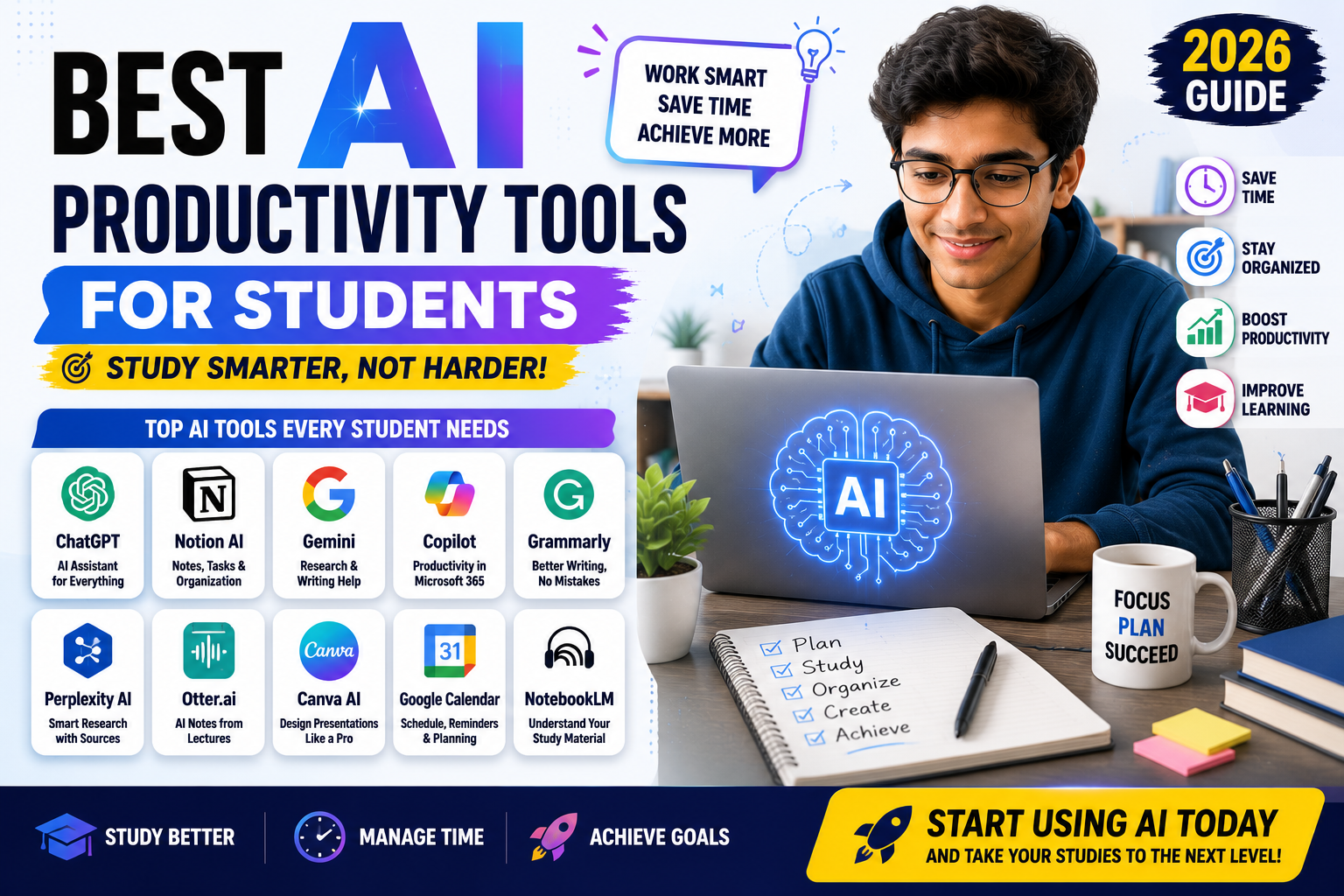
Best AI Productivity Tools for Students
College life can be exciting, but it also comes with many responsibilities. Students often have to attend lectures, complete assignments, prepare presentations, study for exams, manage group projects, and sometimes work part-time. Balancing all of these tasks can be difficult without proper planning and organization.
Artificial Intelligence (AI) is helping students become more productive by simplifying everyday academic work. Instead of spending hours organizing notes, searching for information, creating schedules, or preparing presentations, students can use AI tools to complete these tasks more efficiently. The goal is not to replace learning but to help students manage their time better and focus on understanding their subjects.
Today, there are dozens of AI productivity tools available. Some are completely free, while others offer premium features for advanced users. Choosing the right tool depends on your study habits, academic goals, and daily workload.
If you are looking for verified internships, scholarships, online courses, graduate jobs, and career opportunities, visit Energie Intelligent at www.energieintelligent.com. The platform regularly publishes trusted opportunities and helpful career guides for students and fresh graduates.
Why Productivity Matters in College
Many students believe that studying longer leads to better results. In reality, effective time management and organized study methods are often more important than simply studying for more hours.
Productive students are able to:
- Complete assignments on time
- Stay organized
- Reduce stress
- Prepare better for exams
- Balance academic and personal life
- Improve learning efficiency
AI tools can support these goals by handling repetitive tasks and helping students organize their work more effectively.
Free vs Paid AI Productivity Tools
Many AI platforms offer free versions that are suitable for most students.
Free plans usually include:
- Basic writing assistance
- Note organization
- Study planning
- Task management
- Brainstorming
- Limited AI conversations
Paid plans often provide:
- Higher usage limits
- Faster responses
- Advanced document analysis
- Team collaboration
- Larger file uploads
- Additional productivity features
Students should start with free versions and upgrade only if they need more advanced capabilities.
1. ChatGPT
ChatGPT remains one of the most useful productivity tools for college students.
Visit : https://chatgpt.com/
It can help students:
- Explain difficult topics
- Organize assignments
- Create study schedules
- Summarize concepts
- Brainstorm project ideas
- Improve writing
- Practice interview questions
Instead of copying answers directly into assignments, students should use ChatGPT to understand concepts and improve their own work.
Best For
- Daily study support
- Homework guidance
- Writing assistance
- Research planning
- Learning difficult subjects
2. Notion AI
Notion AI combines note-taking, task management, and AI assistance in one platform.
Visit : https://www.notion.com/
Many college students use it to organize:
- Lecture notes
- Assignment deadlines
- Research projects
- Daily schedules
- Semester planning
Keeping everything in one workspace makes it easier to stay organized throughout the academic year.
Features Students Like
- Smart note organization
- AI summaries
- Project planning
- Study tracking
- Calendar integration
3. Google Gemini
Students who use Google Workspace often choose Gemini because it works well with Google Docs, Gmail, and other Google services.
Visit : https://gemini.google.com/
It helps with:
- Document drafting
- Brainstorming
- Research
- Information summaries
- Productivity tasks
Gemini is especially useful for students who already rely on Google’s ecosystem.
4. Microsoft Copilot
Many universities use Microsoft Office for assignments and presentations.
Visit : https://copilot.microsoft.com/
Microsoft Copilot assists students by helping them work more efficiently inside:
- Word
- Excel
- PowerPoint
- Outlook
Students can draft reports, organize spreadsheets, and create presentation outlines more quickly.
5. Grammarly
Good writing remains important throughout college.
Visit : https://grammarly.com/
Grammarly helps students improve:
- Grammar
- Spelling
- Clarity
- Sentence structure
- Professional writing
Whether writing essays, reports, or emails to professors, Grammarly helps students communicate more clearly.
6. NotebookLM
NotebookLM has become one of the most useful AI tools for studying because students can upload their own materials instead of searching the internet.
Visit : https://notebooklm.google/
Examples include:
- Lecture notes
- PDF textbooks
- Research papers
- Course handouts
- Study guides
Students can ask questions based only on these uploaded materials, making revision much easier.
7. Perplexity AI
Research often requires reading information from multiple sources.
Visit : https://www.perplexity.ai/
Perplexity AI helps students:
- Explore topics
- Discover references
- Understand concepts
- Find current information
It is particularly useful during the early stages of research projects.
Students should always verify important information before using it in academic work.
8. Canva AI
College students regularly create presentations, posters, and visual projects.
Visit : https://www.canva.com/ai/
Canva AI makes design much easier, even for beginners.
Students commonly use Canva for:
- Class presentations
- Posters
- Infographics
- Reports
- Educational graphics
Professional-looking presentations can often be created within minutes.
9. Otter.ai
Taking notes during lectures can sometimes distract students from listening carefully.
Visit : https://otter.ai/
Otter.ai converts spoken lectures into written notes.
It is useful for:
- Classroom lectures
- Online classes
- Study groups
- Academic meetings
Students can review the notes later while focusing fully during class.
10. Google Calendar with AI Features
Good scheduling is one of the most important productivity habits.
Visit : https://workspace.google.com/
Using Google Calendar helps students organize:
- Lectures
- Assignment deadlines
- Exams
- Meetings
- Personal activities
Combining calendar reminders with AI-generated study plans helps students avoid last-minute stress.
Build Better Study Habits
Even the best AI tools cannot replace good study habits.
Students should also:
- Study consistently.
- Review notes regularly.
- Take breaks.
- Avoid procrastination.
- Plan weekly goals.
- Sleep properly.
AI tools become much more effective when combined with disciplined study routines.
11. ClickUp AI
College students often have multiple assignments, projects, exams, and group activities happening at the same time.
Visit : https://clickup.com/
ClickUp can help organize these responsibilities in one workspace.
Its AI features can assist with:
- Creating task lists
- Summarizing project information
- Writing project updates
- Organizing ideas
- Creating action items
For group assignments, having a clear list of responsibilities can prevent confusion about who needs to complete each task.
12. Todoist
Todoist is a popular task-management application that can help students organize their daily responsibilities.
Visit : https://www.todoist.com/
Students can create tasks for:
- Assignments
- Reading
- Exams
- Projects
- Personal activities
The main advantage of a task-management system is that students do not have to remember every deadline.
Instead, they can write everything down and focus on completing one task at a time.
13. Motion
Motion combines calendars, tasks, and scheduling to help users organize their time.
For students, it can be useful when several deadlines overlap.
For example, if you have an assignment due Friday and an exam next Monday, a structured schedule can help divide your available study time between both tasks.
This type of planning can reduce the habit of leaving everything until the last day.
Visit : https://www.usemotion.com/
14. Reclaim AI
Reclaim AI focuses on scheduling and time management.
Visit : https://reclaim.ai/
Students can use scheduling tools to create time blocks for:
- Studying
- Exercise
- Reading
- Assignments
- Personal activities
Time blocking is particularly useful when students have irregular schedules.
Instead of simply writing “study chemistry,” you can reserve a specific period for it.
15. Gamma
Creating presentations can consume a large amount of time.
Gamma helps students turn ideas, outlines, and written information into presentations.
Visit : https://gamma.app/
It can be useful for:
- University presentations
- Project proposals
- Business assignments
- Research presentations
Students should always review the generated content and make the presentation their own.
16. Elicit
Research assignments can become difficult when students need to review many academic papers.
Elicit helps researchers discover and organize relevant academic literature.
Visit : https://elicit.com/
It can assist with:
- Finding research papers
- Summarizing studies
- Comparing research
- Building literature reviews
Students working on dissertations, final-year projects, or research papers may find this especially useful.
17. Wolfram
Mathematics and science students often need help checking calculations and understanding complex problems.
Visit : https://www.wolfram.com/
Wolfram can assist with mathematical concepts such as:
- Algebra
- Calculus
- Statistics
- Equations
- Graphs
Students should use it to understand how a problem is solved rather than simply copying the final answer.
18. GitHub Copilot
Programming students can use GitHub Copilot to assist with software development.
Visit : https://github.com/copilot
It can help developers:
- Generate code suggestions
- Explain code
- Identify potential errors
- Write repetitive code
- Explore programming solutions
It is particularly useful for students working on programming assignments and personal projects.
However, students should understand the code they submit and follow their institution’s academic policies regarding AI-assisted programming.
19. DeepL
Students studying languages or working with international research materials can benefit from DeepL.
It can assist with translations and help users understand content written in different languages.
Visit : https://www.deepl.com/
It can be useful when:
- Reading foreign-language sources
- Communicating internationally
- Learning vocabulary
- Understanding academic material
Students should still review important translations because automated translation is not perfect.
20. Quizlet AI Features
Revision becomes easier when students actively test their knowledge.
Visit : https://quizlet.com/
Quizlet provides digital study tools that can help students create and review:
- Flashcards
- Practice questions
- Study sets
- Definitions
AI-assisted features can make it easier to turn study materials into revision resources.
AI Tools for Exam Preparation
Exams are one of the most stressful parts of college life.
AI tools can help students prepare more systematically.
For example, you can use AI to create:
- Practice questions
- Flashcards
- Topic summaries
- Revision schedules
- Mock tests
A good strategy is to start preparing several weeks before the exam rather than relying on AI to generate everything the night before.
AI Tools for Group Projects
Group projects can become difficult when communication is poor.
AI productivity tools can help teams:
- Organize tasks
- Create deadlines
- Summarize meetings
- Share notes
- Track progress
However, successful teamwork still depends on communication between team members.
Technology can organize the work, but students still need to cooperate.
AI for Email and Communication
College students regularly communicate with:
- Professors
- University departments
- Internship coordinators
- Classmates
- Employers
AI writing assistants can help students make these messages clearer and more professional.
For example, AI can help transform a short message such as:
“I can’t attend class tomorrow because I have an issue.”
into a more professional email.
Students should always review the final message before sending it.
AI for Research Organization
Research becomes difficult when information is scattered across dozens of files and websites.
Students can improve their workflow by creating a simple system.
For example:
- Find reliable sources.
- Save important papers.
- Summarize key findings.
- Organize references.
- Write notes in your own words.
- Review the sources before submitting work.
AI can speed up several of these steps, but students remain responsible for the accuracy of their research.
How to Use AI Without Becoming Dependent
One of the biggest concerns about AI in education is dependency.
If students ask AI to solve every problem, they may gradually lose the ability to think through difficult questions independently.
A better approach is to use AI in stages.
First, Try Yourself
Attempt the problem before asking AI for help.
Second, Ask for Guidance
If you are stuck, ask AI to explain the concept rather than immediately requesting the final answer.
Third, Solve It Again
After understanding the explanation, try solving the problem independently
This approach turns AI into a learning assistant rather than a shortcut.
A Simple Daily AI Productivity Routine
Students do not need ten different AI applications every day.
A simple routine can be enough.
Morning
Review your calendar and create a short list of important tasks.
During Classes
Take notes and focus on understanding the lecture.
Afternoon
Use AI tools to organize notes, explain difficult concepts, or plan assignments.
Evening
Review what you learned and prepare the next day’s tasks.
This routine helps students use technology without allowing it to control their entire schedule.
Productivity Mistakes to Avoid
AI tools can improve productivity, but they can also create new distractions.
Avoid:
- Downloading too many productivity apps
- Spending more time organizing than studying
- Copying AI-generated assignments
- Checking notifications constantly
- Using AI without verifying information
- Creating unrealistic schedules
A simple system that you actually follow is better than a complicated system that you abandon after a few days.
Privacy and Personal Information
Students should also be careful about what they upload to AI platforms.
Avoid sharing unnecessary:
- Passwords
- Private documents
- Personal identification information
- Financial information
- Confidential university materials
Before uploading sensitive information, understand the platform’s privacy policies and your institution’s rules.
AI Productivity Tools Are Assistants, Not Replacements
The biggest benefit of AI is that it can reduce repetitive work.
For example, AI can help organize notes, generate a study plan, explain a difficult concept, or create an initial presentation structure.
But students still need to:
- Think
- Read
- Practice
- Analyze
- Write
- Communicate
These skills remain important in university and professional life.
Stay updated with the latest jobs, internships, scholarships, and Course opportunities right here.
Explore More Opportunities
Stay updated with the latest:
Join our community and take your engineering career to the next level.