How to Register for DigiSkills 2026 Online Complete Step-by-Step Guide
DigiSkills is one of Pakistan’s well-known online training programs for people who want to learn digital skills and improve their chances of working online. The program offers free online courses in areas such as freelancing, digital marketing, graphic design, WordPress, SEO, virtual assistance, artificial intelligence, data analytics, and web development. DigiSkills is an initiative of the Government of Pakistan through the Ministry of IT & Telecom and Ignite National Technology Fund and is executed by Virtual University of Pakistan.
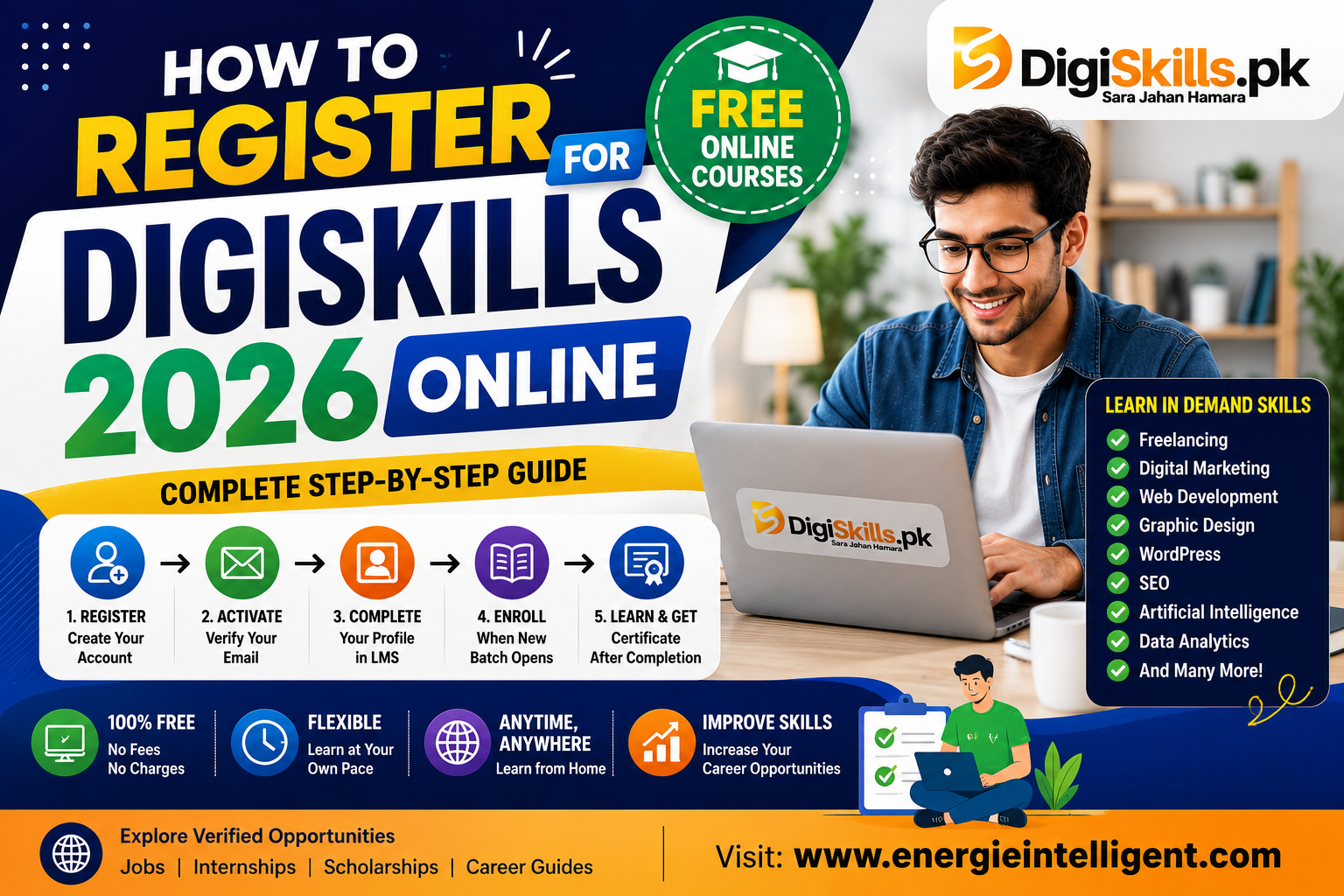
If you want to know how to register for DigiSkills 2026 online, the process is straightforward. You first create an account on the official DigiSkills website, activate your account through email, complete your profile through the DigiSkills Learning Management System, and then enroll in available courses when registration for a batch opens.
It is important to understand that registration and course enrollment are not the same thing. You can create your DigiSkills account before a new batch opens, but you must complete the course enrollment step when enrollment becomes available. DigiSkills has also stated that seats are allocated on a first-come, first-served basis for its batches.
What Is DigiSkills?
DigiSkills is a free online training program designed to help people in Pakistan learn digital and freelance-related skills. The program provides online learning through its Learning Management System, where registered trainees can access course material, videos, exercises, quizzes, and other learning resources.
The program is useful for students, fresh graduates, freelancers, job seekers, homemakers, professionals, and other people who want to learn digital skills from home.
Unlike a traditional classroom course, DigiSkills training is delivered online. This means trainees can study using a computer, laptop, or Android phone with a stable internet connection.
DigiSkills also does not charge a training fee. According to its official FAQ, the program is offered free of cost.
Is DigiSkills Registration Free in 2026?
Yes. DigiSkills registration and training are free.
You do not need to pay a registration fee to create your account. The official DigiSkills website provides a free sign-up form where applicants enter their basic information and create a password.
However, you should always use the official DigiSkills website when creating your account. Avoid websites, social media pages, or individuals asking for money to register you for DigiSkills.
The official registration page is available on DigiSkills.pk.
Who Can Register for DigiSkills?
DigiSkills does not require a minimum educational qualification for the general program. Its official FAQ states that there is no minimum education requirement and encourages people who can read, write, and understand English to take the training.
This makes the program accessible to people with different educational backgrounds.
You may consider DigiSkills if you are:
- A university student
- A fresh graduate
- A job seeker
- A freelancer
- A professional who wants to learn a new skill
- Someone interested in online work
- A person planning to start freelancing
- Someone who wants to improve existing digital skills
You should still check the official requirements and batch information before enrolling because program rules and course availability can change.
DigiSkills 2026 Registration Status
The 2026 DigiSkills 3.0 schedule is important for anyone planning to register.
DigiSkills announced that Batch-04 enrollment opened on July 1, 2026. The batch had a large number of seats, and enrollment was offered on a first-come, first-served basis.
According to DigiSkills, Batch-04’s allocated seats were filled, and enrollment closed on July 23, 2026.
The official DigiSkills FAQ currently states that Batch-05 courses are expected to open for enrollment in November 2026. The exact date will be announced later, and enrollment will again be on a first-come, first-served basis.
If you want to join the next available batch, creating and activating your DigiSkills account in advance can be useful because you may not need to complete the registration form again when enrollment opens.
How to Register for DigiSkills 2026 Online
The DigiSkills registration process has several steps. You should complete each step carefully so that there are no problems when course enrollment opens.
Step 1: Visit the Official DigiSkills Website
Start by visiting the official DigiSkills website.
Do not use an unofficial registration website.
You can access the official registration page here: DigiSkills Official Registration Page.
The registration page contains the “Create New Account” form.
If you already have a DigiSkills account, you do not need to create another account. You can sign in using your existing account.
Step 2: Enter Your First Name
The first field on the registration form asks for your first name.
Enter your real first name as you normally use it in official documents and educational or professional records.
Avoid entering random names or nicknames because your profile information may later be used for your learning record and certificate.
Step 3: Enter Your Last Name
Enter your last name in the next field.
Make sure your name is spelled correctly before submitting the form.
It is better to check your information carefully at the beginning rather than having incorrect information in your profile later.
Step 4: Enter Your Mobile Number
The DigiSkills registration form also asks for your mobile number.
The official registration page provides a Pakistan country code and requires the relevant mobile operator information and number.
Enter a mobile number that you regularly use.
Do not enter someone else’s number if you can avoid it because you may need access to your registered account information later.
Step 5: Enter Your Email Address
Your email address is an important part of DigiSkills registration.
Use an email account that you can access.
DigiSkills requires a valid email address during registration, and account activation information is sent through email.
Before submitting the form, check the email address carefully.
For example, if you accidentally type one letter incorrectly, you may not receive the activation email.
Step 6: Create a Password
The registration form requires you to create a password.
The current official registration page states that the password should be 7 to 16 characters, start with letters, and can include numbers or specified special characters.
Choose a password that you can remember but that other people cannot easily guess.
Do not share your DigiSkills password with anyone.
Step 7: Submit the Registration Form
After entering your information, review everything carefully.
Check:
- First name
- Last name
- Mobile number
- Email address
- Password
Once everything is correct, submit the registration form.
If the information is accepted, your DigiSkills account will be created.
Step 8: Activate Your DigiSkills Account
Creating the account is not the final step.
You should activate your account using the confirmation email sent to your registered email address.
DigiSkills has specifically instructed new users to register using a valid email address and activate their account through the confirmation link.
Open your email inbox after registration.
Look for the DigiSkills activation email.
If you do not see it, check your spam, junk, promotions, or other filtered folders.
Do not create multiple accounts simply because you did not immediately find the email.
Step 9: Sign In to the DigiSkills LMS
After activating your account, you can sign in to the DigiSkills Learning Management System.
The LMS is where your trainee profile, courses, learning material, assessments, and other information are managed.
DigiSkills explains that trainees need to complete their profile through the LMS before enrolling in courses.
You can access the official LMS here: DigiSkills LMS
Use the same login details associated with your DigiSkills account.
Step 10: Complete Your DigiSkills Profile
After signing in, complete your trainee profile.
Do not leave important profile information incomplete if the system asks you to provide it.
Check your personal information carefully.
Your profile should contain accurate information because DigiSkills uses the LMS for course participation and certificate-related records.
DigiSkills’ official instructions identify registration, profile completion, and course enrollment as separate steps.
Step 11: Wait for Course Enrollment to Open
This is an important part of the process.
Creating a DigiSkills account does not automatically enroll you in a course.
You must enroll in courses when the relevant batch opens.
DigiSkills normally announces enrollment dates through its official website and news updates.
For Batch-04, enrollment opened on July 1, 2026, and the available seats were later filled.
For the next batch, the current official FAQ says Batch-05 enrollment is expected in November 2026, although the exact date has not yet been announced.
Step 12: Choose Your Courses
When enrollment opens, eligible registered users can select courses available for that batch.
DigiSkills currently lists courses covering several areas of digital work and technology.
The official FAQ currently lists 24 courses, including:
- Freelancing
- E-Commerce Management
- Creative Writing
- Graphics Design
- QuickBooks
- WordPress
- Search Engine Optimization
- Digital Marketing
- Digital Literacy
- Virtual Assistant
- Affiliate Marketing
- Communication and Soft Skills
- Video Editing, Animation and Vlogging
- Data Analytics and Business Intelligence
- Startup Strategies and Entrepreneurship
- Artificial Intelligence with Python
- UI/UX and Webflow
- Mobile Game and App Development
- Shopify Development and Dropshipping
- Cloud Computing
- Full Stack Development Using MERN
- Legal Drafting and Global Compliance
- 3D Modeling
- Other courses listed by the program as available
Course availability can change between batches, so always check the courses shown in your LMS when enrollment opens.
Step 13: Select Up to Two Courses
DigiSkills allows trainees to select courses according to the program’s enrollment rules.
The official instructions state that trainees can enroll in up to two courses in a batch.
Choose courses carefully.
Do not select a course simply because it sounds popular.
Think about the type of work you want to do after completing the training.
For example, someone interested in building websites may consider WordPress or Full Stack Development.
Someone interested in online marketing may consider Digital Marketing or SEO.
A person interested in administrative online work may consider a Virtual Assistant.
Someone interested in technical fields may consider Artificial Intelligence with Python, Cloud Computing, or Data Analytics.
Step 14: Click Save to Complete Enrollment
After choosing your courses, review your selection and submit it using the Save option shown in the LMS.
DigiSkills’ enrollment instructions state that registered users can select their courses and use the Save button to submit their enrollment.
After successfully enrolling, check your LMS for confirmation and course information.
What Happens After DigiSkills Enrollment?
After enrollment, you will access your selected courses through the LMS when the batch begins.
The course material can include videos, exercises, quizzes, handouts, discussions, and other learning resources depending on the course.
DigiSkills states that course content and videos are made available through the LMS, and trainees can study at their own pace or follow the announced timetable.
This means you do not have to travel to a physical campus for normal training.
How DigiSkills Classes Work
DigiSkills courses are delivered online.
After enrollment, you log in to your LMS account and access your enrolled courses.
The program provides weekly learning content and related activities.
According to the official FAQ, course videos and material are made available through the LMS, and trainees can follow the announced timetable or study at their own pace.
You should still complete quizzes, exercises, and other required activities according to the course schedule.
What Device Do You Need for DigiSkills?
You do not necessarily need an expensive computer.
DigiSkills says that trainees need a stable internet connection and can access the program through a desktop computer, laptop, or Android phone.
A laptop or desktop may be more comfortable for courses that require practical work, especially areas such as web development, graphic design, video editing, data analytics, or programming.
However, your exact requirements depend on the course you choose.
Do You Need a Degree for DigiSkills?
No minimum educational qualification is required for the general DigiSkills program, according to its official FAQ.
This means students and people from different educational backgrounds can consider applying.
However, some technical courses may be easier if you already have basic computer knowledge.
For example, someone studying programming may find it easier to understand technical lessons if they are already comfortable using computers and following written instructions.
Is DigiSkills Really Free?
Yes. DigiSkills states that its training program is offered free of cost.
You should not pay another person to create your DigiSkills account.
If someone claims that they can guarantee your seat in exchange for money, be careful.
Use the official website and official DigiSkills announcements for registration and enrollment information.
Does DigiSkills Provide Jobs?
DigiSkills does not directly provide a guaranteed job to every trainee.
Its purpose is to provide training in skills that can be used in freelance markets and online work.
The official FAQ explains that the program is intended to train people in skills demanded in freelance markets rather than directly offering jobs to trainees.
This distinction is important.
Completing a DigiSkills course does not mean that you automatically receive employment.
You still need to build practical skills, create a portfolio, search for clients or jobs, and continue learning.
Can DigiSkills Help You Start Freelancing?
Yes, the skills can be useful for people who want to explore freelancing.
For example, someone who completes a WordPress course can practice building websites.
Someone who studies graphic design can create a design portfolio.
A person studying SEO can practice optimizing websites and writing content.
However, completing the course is only the beginning.
You need to practice the skill and learn how to communicate with clients.
DigiSkills also states that coaches can guide trainees in creating freelance profiles and bidding for projects.
Which DigiSkills Course Should You Choose?
The right course depends on your interests and career goals.
Do not select two courses simply because other people recommend them.
Consider what type of work you want to do.
For Freelancing
Freelancing can be useful if you want to understand how freelance work operates and how to find projects.
For Websites
WordPress or Full Stack Development can be considered by people interested in website development.
For Marketing
Digital Marketing and SEO may be suitable for people interested in online marketing.
For Administrative Work
Virtual Assistant may be useful for people interested in remote administrative tasks.
For Design
Graphic Design can be considered if you want to work with visual content.
For Technology
Artificial Intelligence with Python, Cloud Computing, Data Analytics and Business Intelligence, or Full Stack Development may be options depending on your background.
For E-Commerce
E-Commerce Management or Shopify Development and Dropshipping can be considered by people interested in online stores.
The available courses and enrollment rules can change, so check the official DigiSkills course list before making your final selection.
How to Choose Two DigiSkills Courses
If you can select two courses, try to choose subjects that support the same career goal.
For example:
WordPress + SEO
This combination can help someone interested in website management and search optimization.
Digital Marketing + SEO
These subjects can complement each other for online marketing work.
Graphic Design + Digital Marketing
Design skills can be useful when creating marketing material.
Freelancing + Virtual Assistant
This can be useful for someone interested in remote administrative work.
Artificial Intelligence with Python + Data Analytics
These can be considered by learners interested in technical and data-related careers.
Your choice should depend on your interests and ability to give enough time to both courses.
How to Get a DigiSkills Certificate
Eligible trainees can receive an e-certificate after completing the relevant course requirements.
DigiSkills explains that eligible trainees receive a soft copy of a verified e-certificate through the LMS.
The certificate can be accessed through the My Results section of the LMS when it becomes available.
According to DigiSkills’ instructions, trainees can log in, open My Results under Trainee Services, select the completed course, and access the certificate.
Make sure your profile name is correct before downloading your certificate.
DigiSkills has also advised trainees to check their full name in their LMS profile because incorrect profile information can affect the certificate.
Common Problems During DigiSkills Registration
Some users may face problems while creating or activating their accounts.
Common issues include:
- Incorrect email address
- Activation email not received
- Incorrect mobile number
- Forgotten password
- Incomplete profile
- Course enrollment already closed
- Seats filled before enrollment
- Internet connection problems
If you face an issue, first check the official DigiSkills FAQ and support information.
Do not immediately create another account unless the official support instructions tell you to do so.
What If You Do Not Receive the Activation Email?
First, check your:
- Inbox
- Spam folder
- Junk folder
- Promotions folder
- Other filtered folders
Make sure you entered the correct email address.
The DigiSkills FAQ says users who are unable to activate their accounts can sign in with their registered email and current password and regenerate the activation email.
What If You Forget Your DigiSkills Password?
You can use the password recovery option on the DigiSkills sign-in page.
The official FAQ states that users can reset a lost password through the “Forgot Password” option and follow the instructions provided.
Use the email address associated with your DigiSkills account.
What If DigiSkills Enrollment Is Full?
DigiSkills batches can fill quickly because seats may be allocated on a first-come, first-served basis.
Batch-04 in 2026 is an example. The program announced that the allocated seats were filled and enrollment closed on July 23, 2026.
If enrollment is closed, you should not pay someone claiming they can provide a guaranteed seat.
Instead, keep your account active and watch the official DigiSkills website for the next enrollment announcement.
The current official FAQ says Batch-05 enrollment is expected in November 2026, but the exact date has not yet been announced.
How to Prepare Before the Next DigiSkills Batch
If you missed the current enrollment, you can use the waiting period productively.
Start by creating your DigiSkills account if you have not already done so.
Then:
- Activate your account
- Complete your profile
- Read the course descriptions
- Decide which skills interest you
- Learn basic computer skills
- Improve your English communication
- Practice typing
- Learn basic online research
- Prepare a reliable internet connection
- Follow official DigiSkills announcements
When the next batch opens, you will be better prepared to enroll quickly.
Is DigiSkills Good for Students?
DigiSkills can be useful for students who want to learn practical digital skills alongside their formal education.
Students can use the courses to explore possible career paths before graduation.
For example, a computer science student may explore full-stack development, cloud computing, or artificial intelligence.
A business student may explore digital marketing, e-commerce, or virtual assistance.
A student interested in creative work may explore graphic design or video editing.
The main benefit is that students can study online without paying a training fee.
Is DigiSkills Good for Fresh Graduates?
Fresh graduates can use DigiSkills to add practical skills to their existing education.
For example, a graduate with a business degree may have theoretical knowledge but limited practical experience in digital marketing.
A DigiSkills course can provide structured learning that can be combined with personal projects.
However, graduates should not depend only on a certificate.
Create projects and show employers what you can actually do.
How to Use DigiSkills Skills After Completing a Course
After completing a course, the next step is practice.
Suppose you complete WordPress training.
You could create:
- A personal website
- A business website
- A blog
- A portfolio website
- A demo e-commerce website
Then document your work.
If you complete graphic design, create sample designs.
If you study SEO, build a small website and practice keyword research and on-page optimization.
If you learn digital marketing, create a sample campaign.
These practical examples can help you when applying for jobs or freelance projects.
DigiSkills Registration vs Course Enrollment
This difference confuses many new users.
Registration means creating your DigiSkills account.
Profile completion means providing the required information in the LMS.
Course enrollment means selecting your courses for a specific batch.
You may register before enrollment opens.
When the next batch opens, you then need to log in and complete the enrollment process.
DigiSkills officially describes its process as sign up, complete profile, get enrolled, start studying, take assessments, complete courses, and receive a certificate.
Important Tips for DigiSkills 2026 Registration
Register with an email address that you regularly check.
Use your real personal information.
Activate your account after signing up.
Complete your LMS profile.
Do not share your password.
Choose courses based on your career goals.
Check the official DigiSkills website for enrollment announcements.
Apply early when enrollment opens because seats can fill quickly.
Do not pay unofficial agents for registration.
Keep your account information safe.
Complete assignments and quizzes if you want to finish your selected course successfully.
Stay updated with the latest jobs, internships, scholarships, and Course opportunities right here.
Explore More Opportunities
Stay updated with the latest:
Energie Intelligent Helping students and professionals discover better opportunities and build a successful career.
Join our community and take your engineering career to the next level.